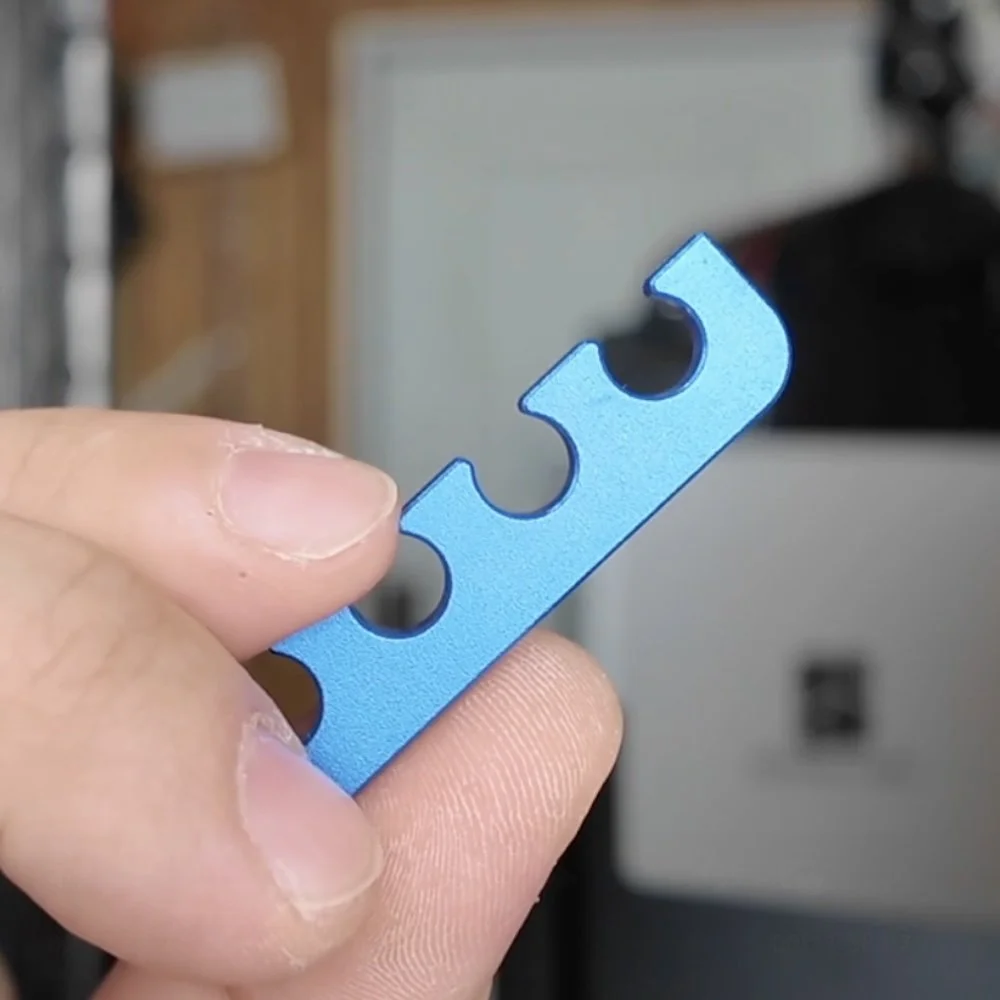
CAN I 3D PRINT MY OWN SHIFTER?
Designing your first car part from a blank screen can be tough. So we created a blank shifter you can quickly modify that will help you learn the basics creating 3d printed interior car parts.
3D PRINTING CAR PARTS | CAR PART FILAMENT SELECTOR | 3D PRINTER FOR AUTOMOTIVE | SCANNING & 3D PRINTING CAR PARTS
START SIMPLE
The best way to get started with interior car parts is with a simple design, like a 3d printed shifter.
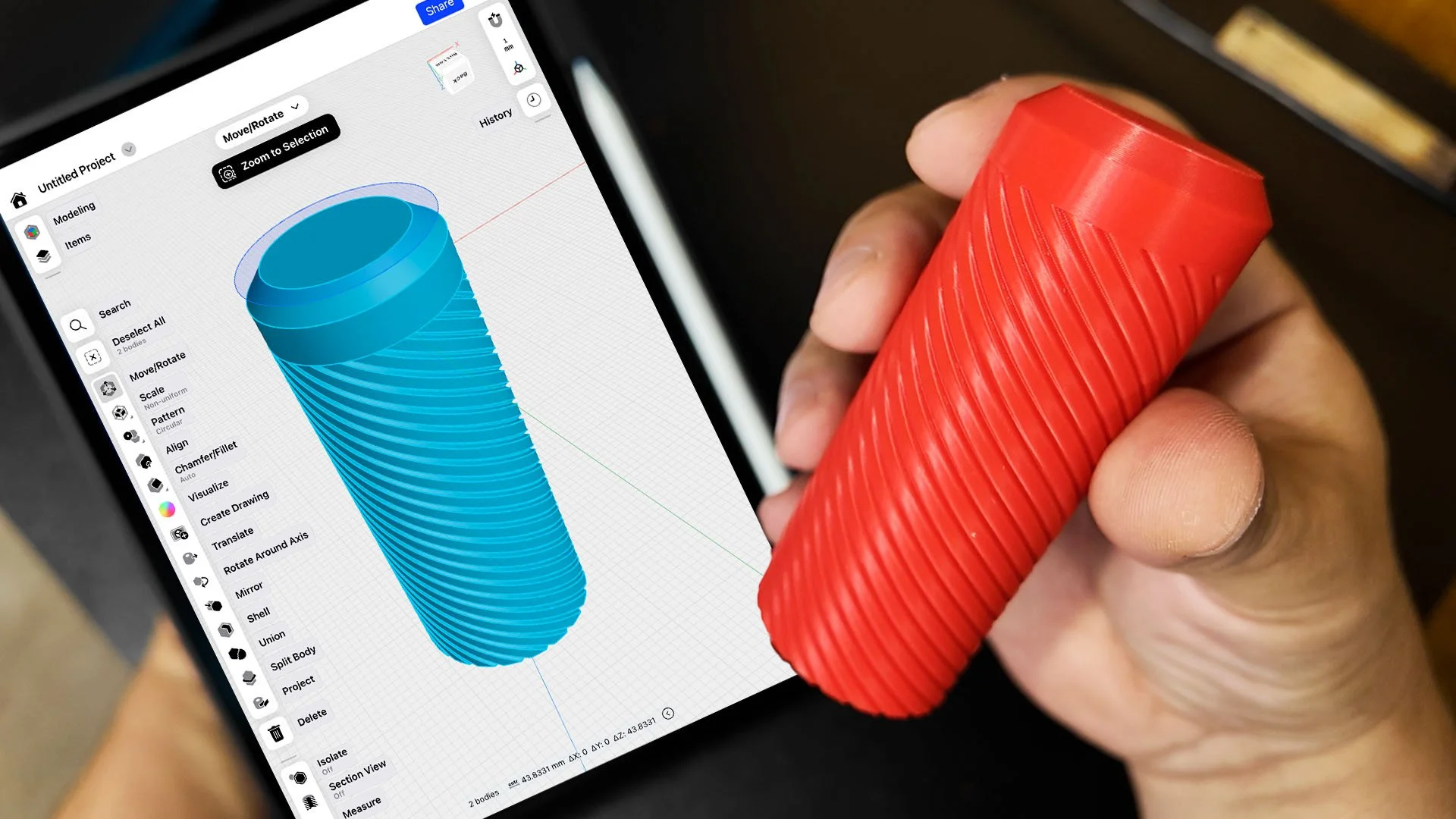
This design was modeled from a BMW e30 shifter knob that you can modify to fit your ride. Here’s the steps:
1. DOWNLOAD SHAPR3D
Designing your first 3d printed shifter doesn’t need to be complicated. Which is why you should download [Shapr3d here].
Shapr3d is easiest and most powerful CAD software programs we’ve used.
It even works with an iPAD and Apple pencil, but you can also download a desktop version too.
2. IMPORT THE FREE SHAPR3D BASE SHIFTER
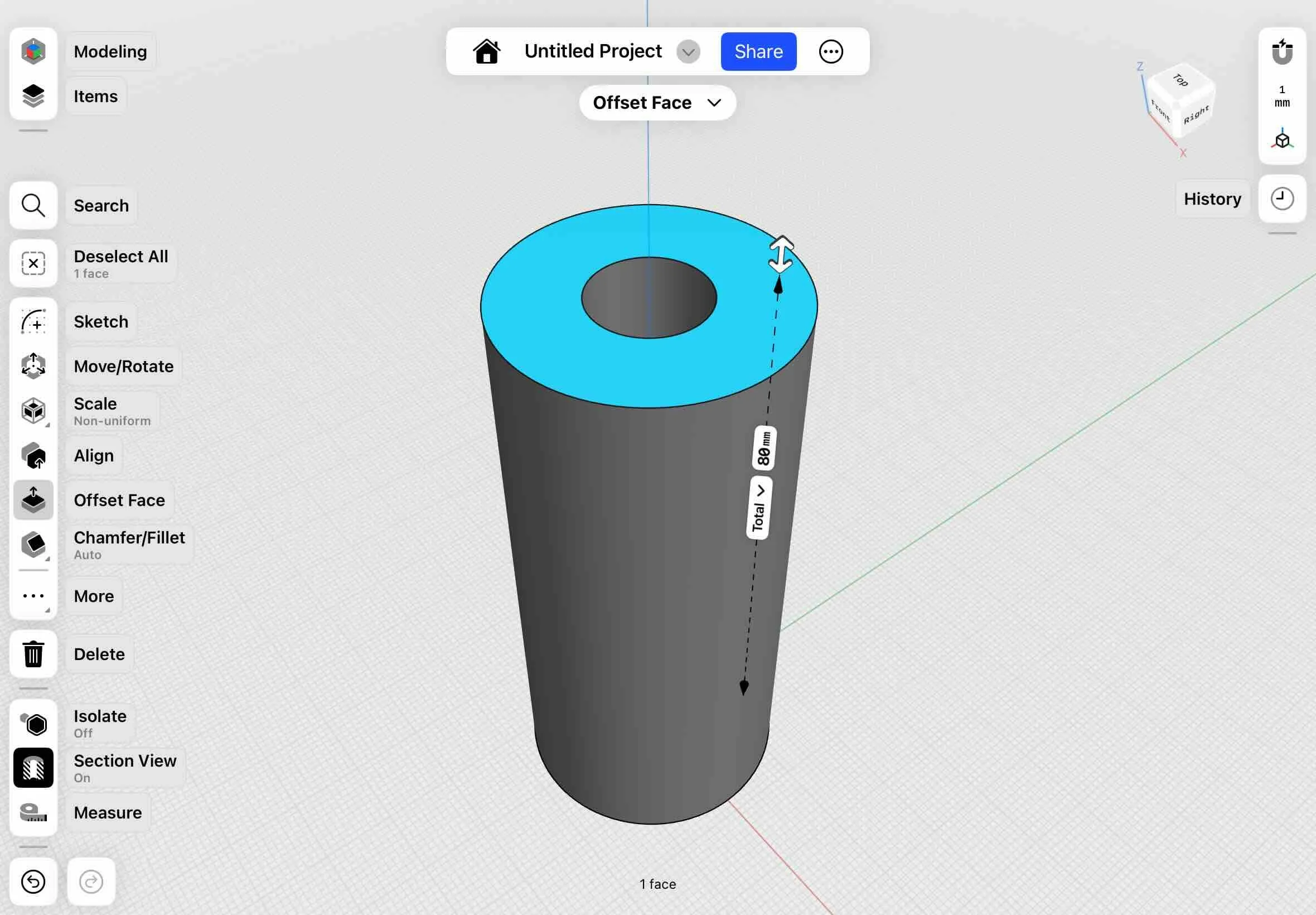
The design has already been created, so all you have to do is download and import the base design into Shapr3d with the import feature.
Grab the full 3d printing car parts guide plus the pre-made car parts STL bundle that includes the shifter design.
But if you’re ready to start learning how to make your very own custom one-of-a-kind designs in just one day, we made a 1-day on demand workshop you can check out here.
3. MEASURE YOUR PART

Grab a measuring tool like a caliper or ruler and start taking measurements of your shifter.
4. MODIFY THE SIZE
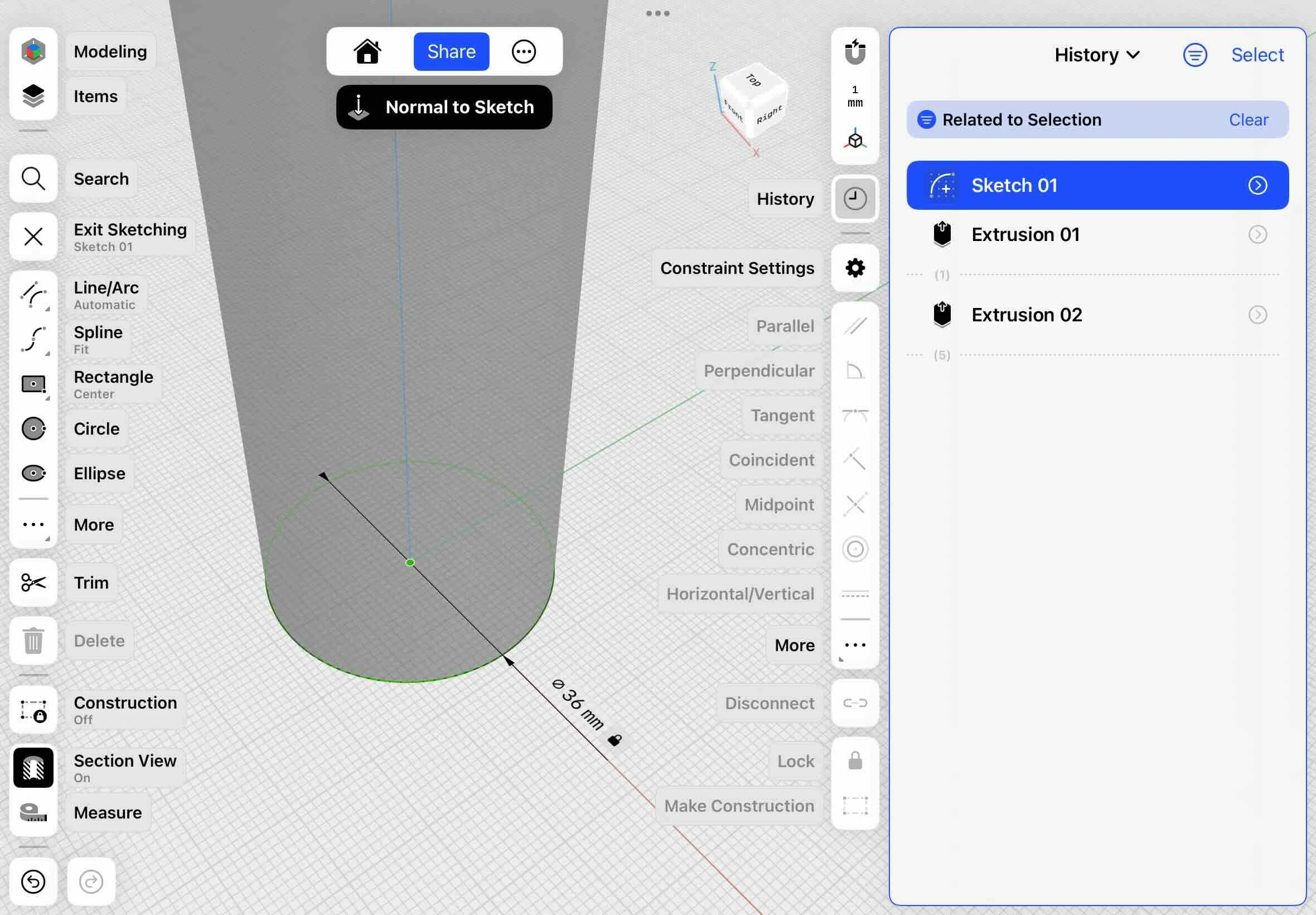
Use the history tool in shapr3d on the right hand menu to modify the sketch size. You can adjust the length, width, or diameter.
5. ADD YOUR OWN DESIGN
In a few easy steps you can add your own design to the outside of the 3d printed shifter knob.
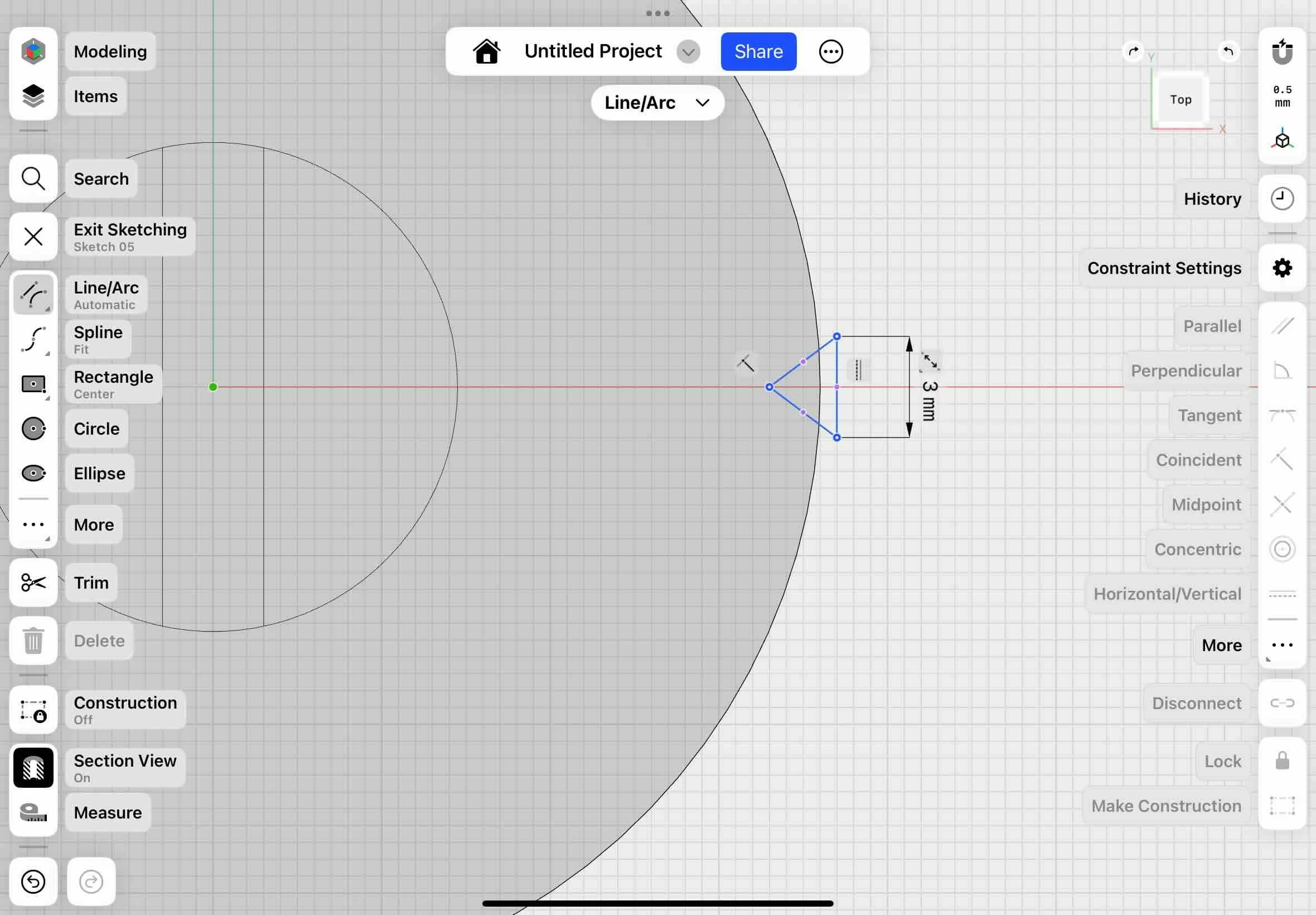
1. Draw a shape using the sketch tool. You can draw a simple triangle at the top of the shift knob.
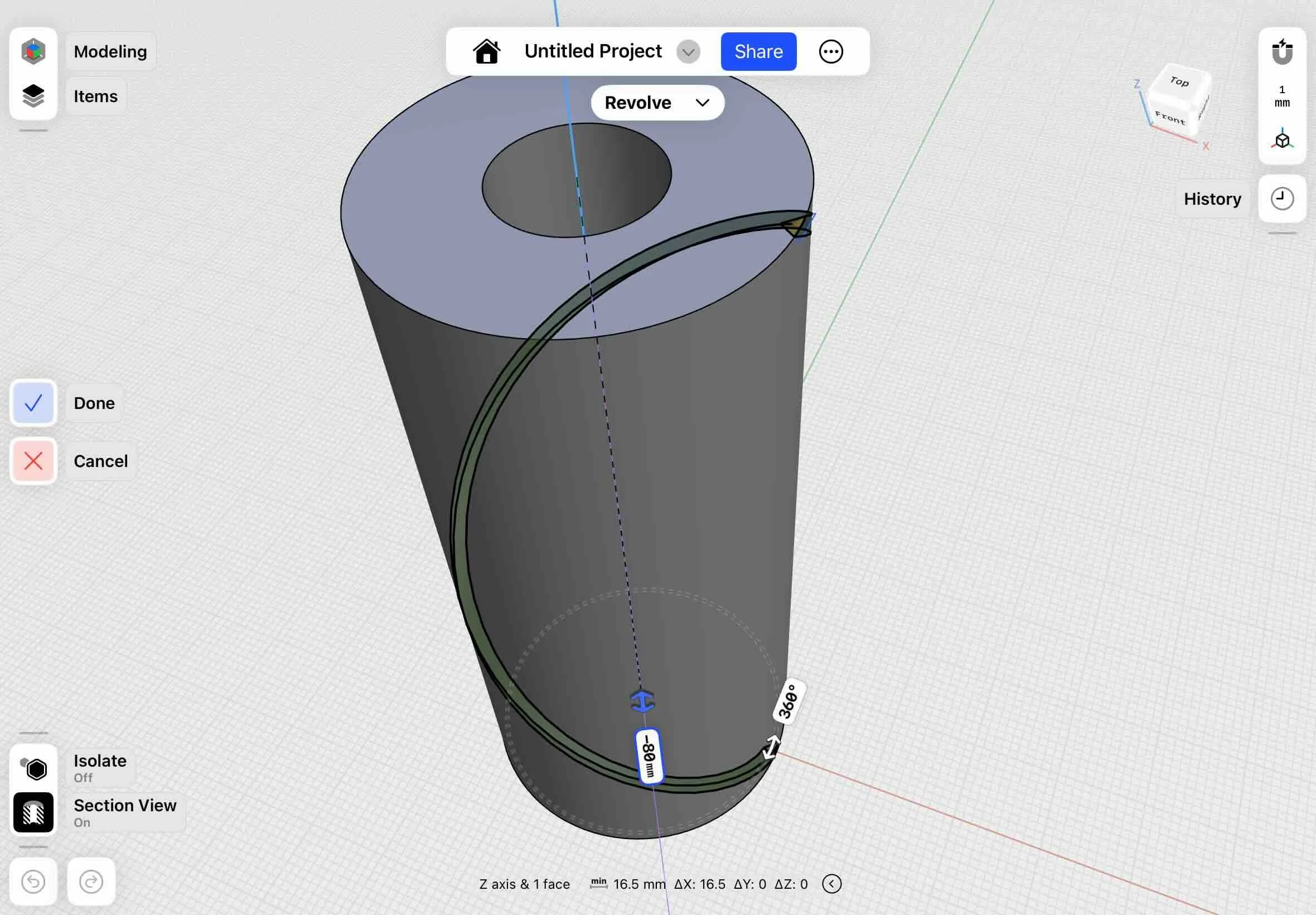
2. Exit sketch mode and select the rectangle shape. Then use the revolve tool in shapr3d to create a spiral design.
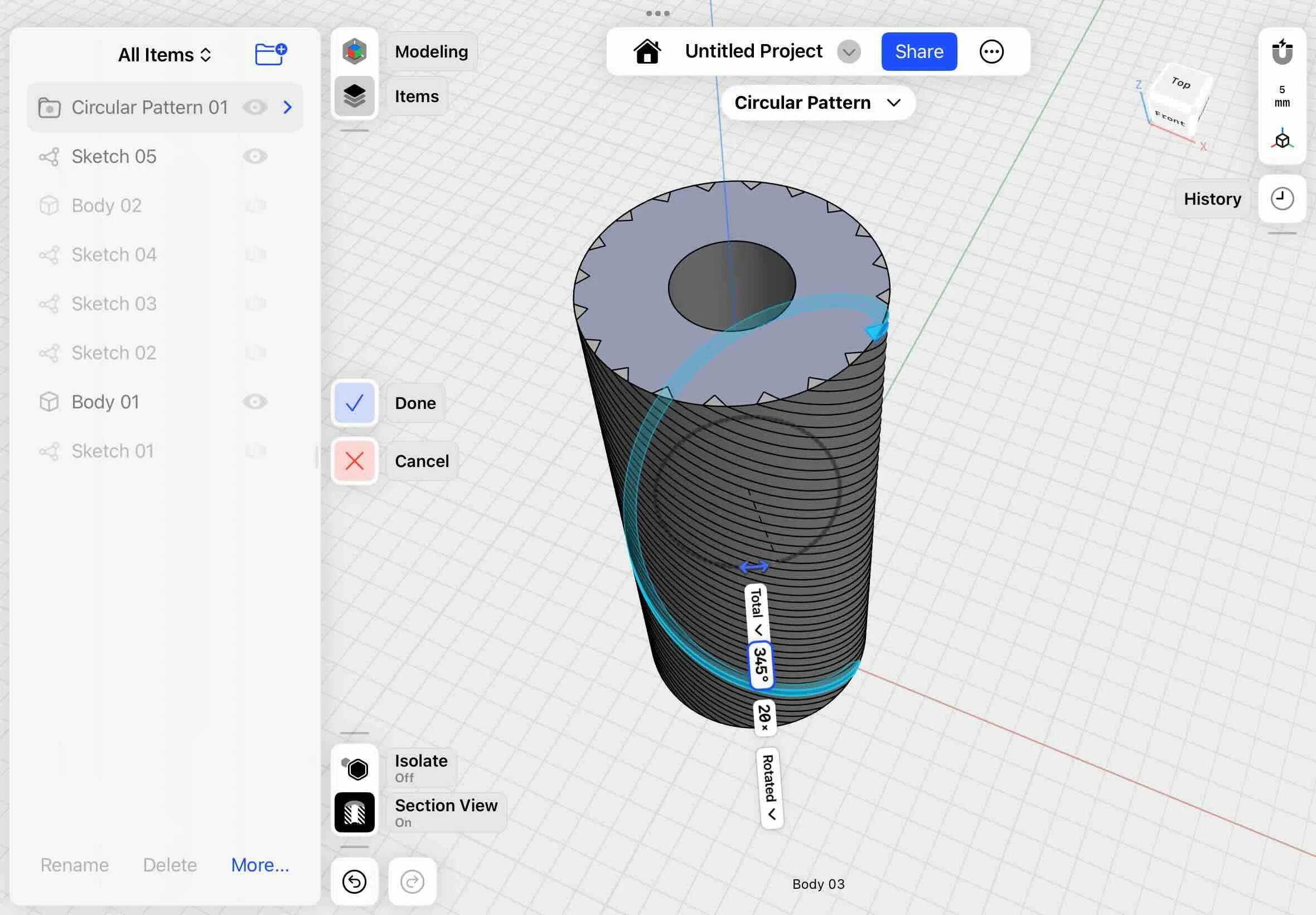
3. Select the shape and use the circular pattern to replicate the shape.
4. The last step is to make the new pattern cut out from the body of the shifter. Open the items, highlight the body and select the subtract tool.
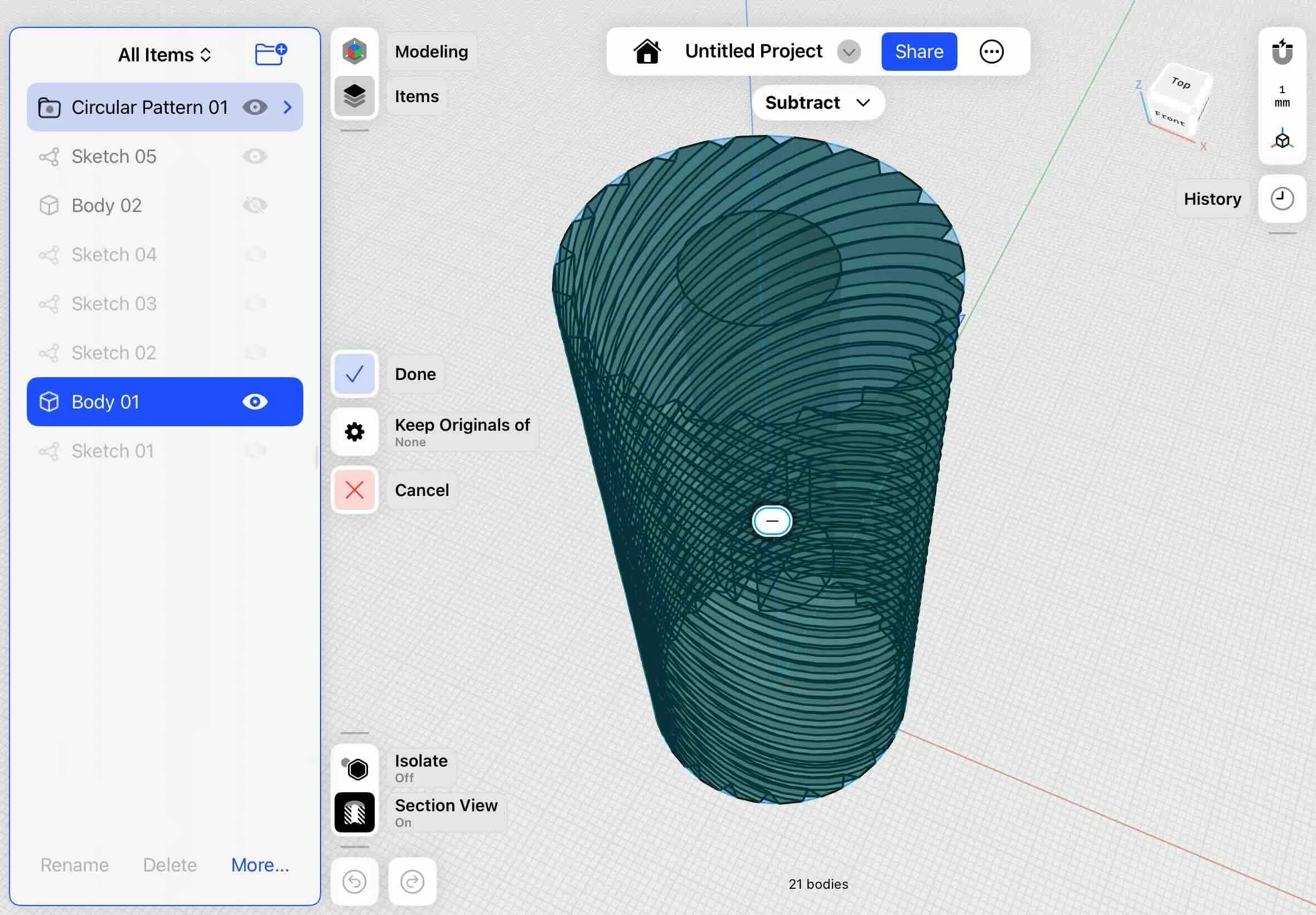
Then select the circular pattern to subtract the pattern from the shifter body.
6. EXPORT AND PRINT THE DESIGN
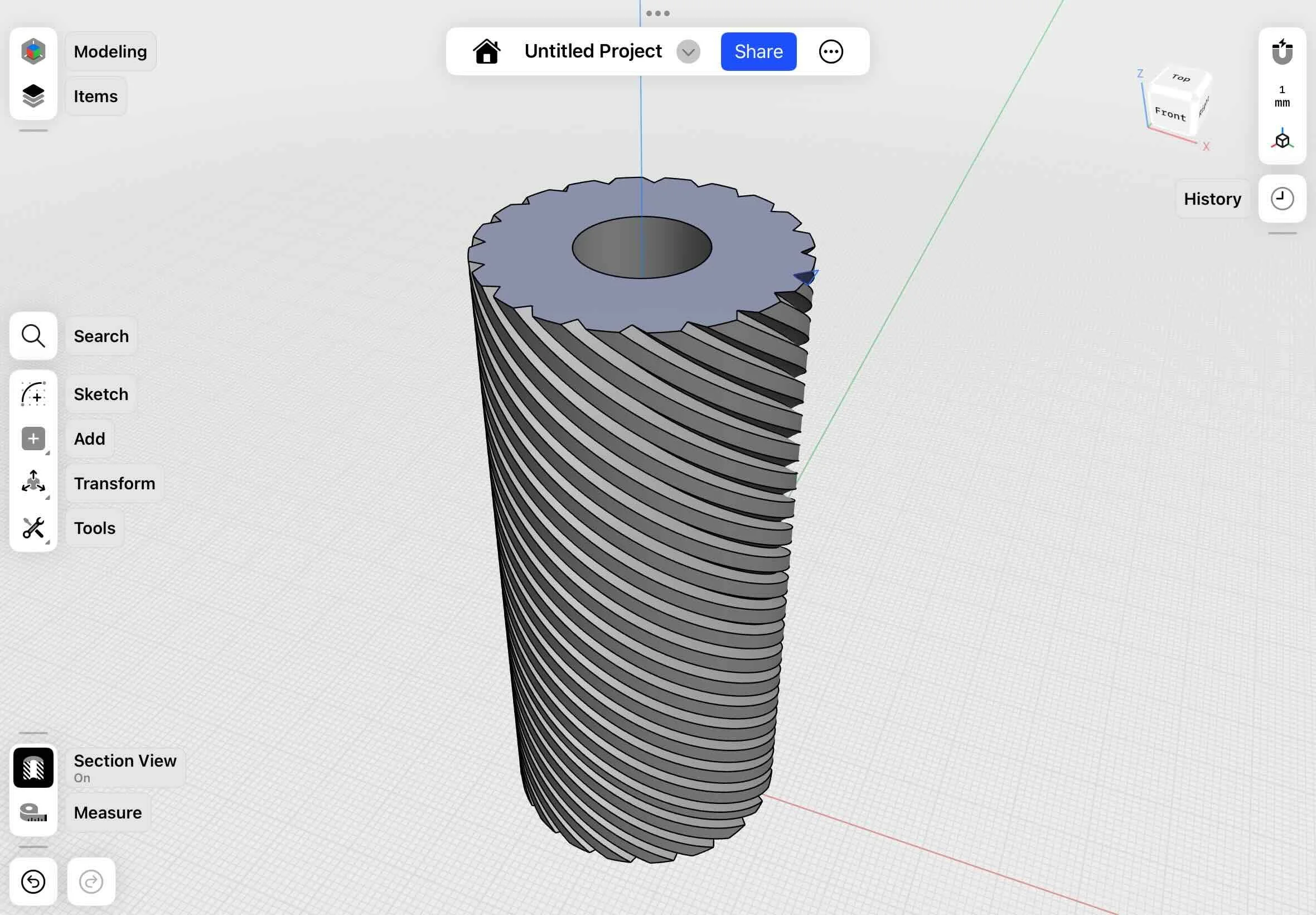
Use the Shapr3d export feature to export the design to an STL file and add it to your 3d printing software to print.
💡 Note: The free version of Shapr3d exports in lower resolution. If the shape isn’t smooth enough, give the Shapr3d PRO a try and save 10% with code ALLABOUTTHEBUILD10
7. TEST FIT THE DESIGN
Here’s the shifter design
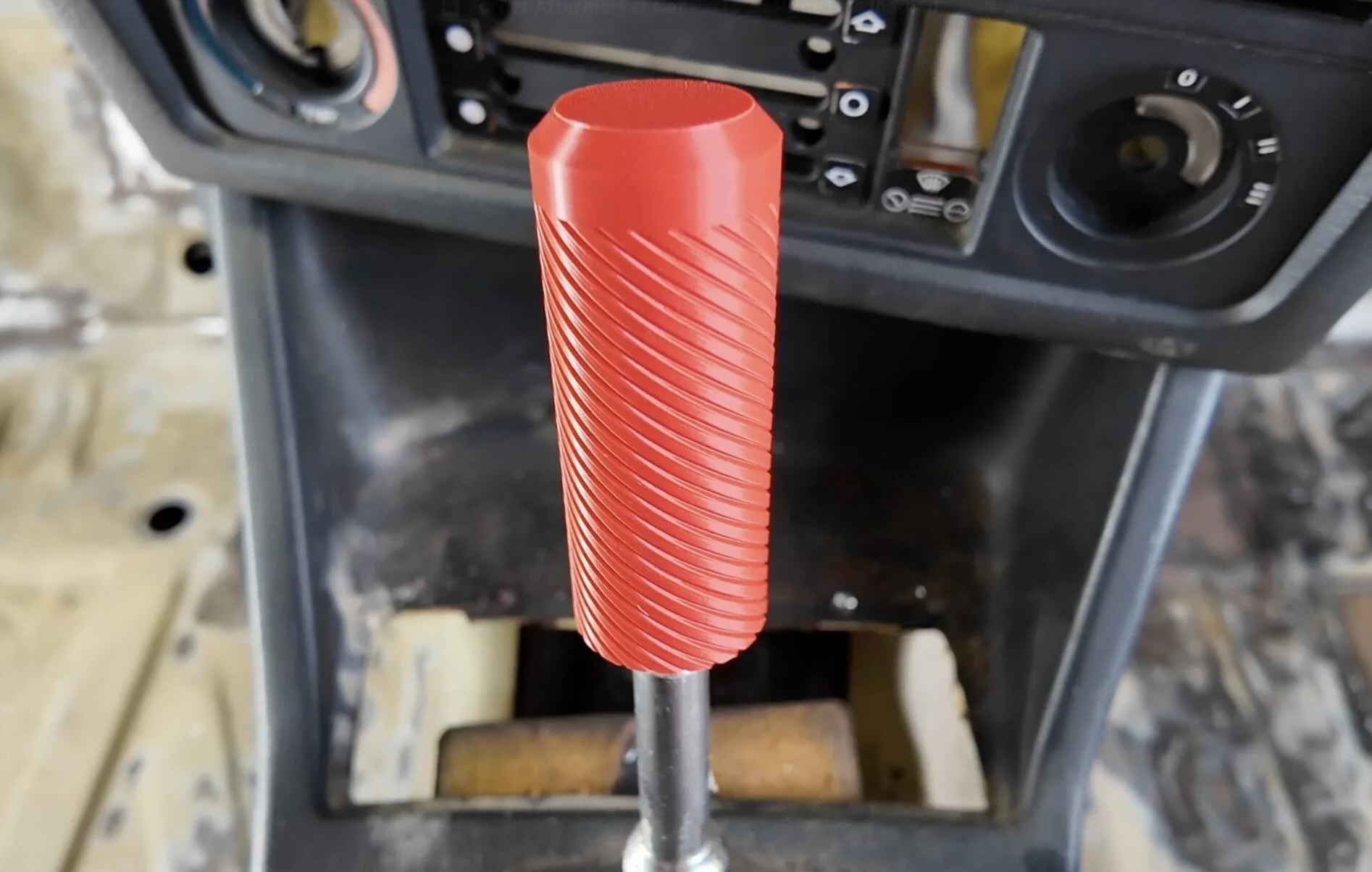
It fits perfect :)
If the size is slightly off you can go back to Shapr3D and adjust the scale using the history function.
If you want to learn how to reverse engineer existing pre-made parts that don’t quite fit your ride check out the workshop.
Design 3d Printed Car Parts That Match Your Exact Build.
One afternoon. No complex software. Parts that fit your build perfect.
Instant Access, Risk Free Money Back Guarantee
RELATED 3D PRINTING CAR PART GUIDES
ACCESS MORE DESIGNS